Sunday, February 11, 2024

Faire Hollow Dev Log #9 - Fireflies

It's me again! I've been working hard on the user interface, creating a pause menu that offers all kinds of game functionality and settings, which I will share in a future post!

But for today, I wanted to show off some fireflies that I've added to the game. I think this scene is very peaceful, and reminds me of why game development can be so magical.


Sunday, January 21, 2024

Faire Hollow Dev Log #8 - Juice

In game development there is the concept of juice. Juice are the little design flourishes that get added to user interactions to make the game feel more fluid and organic. You've experienced juice in any game you've ever played, but you might not have noticed it: it happens when you click a button and the button wobbles a bit, or when a menu fades in gently, or an icon zooms in when you hover over it. It's almost always during a transition of some sort; it's almost always subtle.

You might not notice juice unless you're looking for it, but when you're playing a game you definitely notice when it's not there.

I've added the beginnings of juice -- just a little -- to my menu and UI, more as an experiment about what is possible than anything. And yet, after adding just a few small flourishes to my UI and menus, it's incredible the difference that the addition of juice feels to the polish of the game.

Take for example this settings menu and hotkeys in this quick video:

Tuesday, January 9, 2024

Faire Hollow Dev Log #7 - The State Machine

Happy New Year! I've been hard at work on the Player state machine, creating new capabilities around the inventory system. You can now pick up items, carry items, and eat items! All that bread on the ground now serves a purpose: when you walk over to it and interact with it, you can pick it up and then eat it, thereby increasing your stamina by one! It's kind of the first real "game loop" that I've made in Faire Hollow!

I continue to refactor the code base as I move through it, and each week I feel like I've turned a major corner in my understanding of object-oriented programming. There's so much to learn, but I'm getting more comfortable with custom classes and overall just writing cleaner code. Reddit has been hugely helpful via the Godot subreddit, and I've been using ChatGPT to ask some questions and get decent answers to point me in the right direction.

I also bought a new stand microphone 😎 , and I made my first YouTube video with sound. In this video I walk through what a "state machine" is, and why it's useful for development. I show some code examples from Godot, and check out those sweet transitions, guys 😆 ... I'm not saying this is the best video in the world, but it did help me learn more about how OBS Studio works, so I can make better videos in the future!

Friday, December 29, 2023

Faire Hollow Dev Log #6 - Impatience!

It's the little things...

The player now blinks randomly every 3 to 6 seconds, and after a 15-second delay displays an "impatient" animation. This stance (with the tapping foot) always reminded me of Sonic :gdsonic: 

I've also added a color palette swap shader to the butterflies, to change their color between one of four different colors.

(I also cleaned up the code base to utilize some improved custom classes, and the state machine is now more stable.)

These little details give life to the world! 

Saturday, December 23, 2023

Faire Hollow Dev Log #5 - Clothing and Colors

Happy Holidays to everyone! To kick off Christmas break I've been busy at work this morning giving my player some clothes 😊.

When I started work on this project I knew that I'd be implementing a "paper doll" system to layer on the player's clothes, hair style, etc. This is a pretty typical approach to 2D pixel art-based game development. The idea is that you introduce layers onto the player sprite, each containing another layer of clothes in a png, with a transparent background. By adding all these layers one by one, you are able to control each element individually.

I had begun this process a few days ago, but I quickly realized that if I were to try to add each layer of clothing in the four directions, with the four active and four idle states, that the animation player timeline would quickly become unmanageable. The breakthrough this morning was that I removed all the individual sprite references in my animation node, and replaced them with actual function calls to the player script. In that script is where I then cycle through the different sprite frames, depending on the orientation, and flip the horizontal axis as-needed. For good measure I also timed the footstep sound with the corresponding frame. (I love Godot's animation node!)

And that was all fine and well, and I managed to get the player clothed this morning (hurray!), but there was one other thing I wanted to accomplish, and that was swapping out the color palette using a shader. The artwork that I'm using, by Seliel the Shaper, is absolutely incredible. The Farmer Sprite system that they have built comes with a "color ramp", containing various color spectrum choices that I can use to decorate each piece of clothing, hair style, item, etc.

The end result is this video! Take a look!

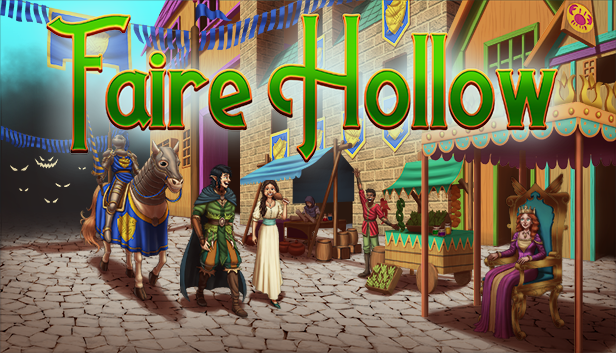
Separately, I've begun the process of creating a "Coming Soon" page on Steam. There is a $100 fee, which I've paid, and a pretty vast checklist of items to complete in order to get my game page submitted for review. The most difficult part of the process, in my opinion, are the Steam "capsules", which are essentially little ads that show off some game art and display the logo of the game. This is what I'm working on next!
Saturday, December 16, 2023

Faire Hollow Dev Log #4 - Spaghetti Code

It's been a busy few weeks! I've spent these past weeks refactoring some "spaghetti code", based on things that I've been learning about the Godot engine. The overall impact is now that the code is quite a bit cleaner and less interdependent on itself: nodes have fewer dependencies on one another, and the code is overall less fragile. And I feel like I keep learning how to do things better!

Godot has a concept of "signals", which allow any single node or code snippet to send a global message to any other script that's listening, saying, "hey, something just happened!". Any code can subscribe to listen for those signals, without needing to worry about how or where they originated. This means, for example, that I can update the date label at the top of the screen whenever a signal is fired indicating that the date has changed... and it doesn't matter how the date changed.

But like all things in programming, it's been a bit of two-steps-forward/one-step-back: for example, I experimented with an add-on called StateCharts, to replace my homegrown state machine for the Player, handling input around moving in 8 directions and standing idle in 4 directions. Ultimately I ended up ripping StateCharts back out, because I realized it was adding a lot of bloat for something that was working just fine. So there went a solid week of after-hours work. But in the process I learned a lot about state machines!

Some other updates:

  • I've introduced a versioning system. (We're on version 0.0.2!)
  • I reimported many of my 2d assets and reorganized the file structure.
  • I am more strictly typing my variables and functions, to prevent future errors.
  • I updated the engine to Godot 4.2.

Finally, I want to give a shout-out to my collaborator, Ewan, my 8-year-old, who is my new art director 😁  He has created an animated pixel art butterfly, which is now in the game flying across the screen! Ewan has been learning about pixel art and using Aseprite, a pixel art editor. He's getting really good -- he has a natural eye for this stuff!


Saturday, November 25, 2023

Faire Hollow Dev Log #3 - Day / Night Cycle

I hope everyone had a great Thanksgiving!

With the inventory system now firmly behind me, I'm working on some new visual functionality that I've been saving. This feels like a treat: by alternating between more difficult tasks like an inventory system and more exciting visual elements, I keep my motivation high!

I've put together a working day/night cycle, with environmental details like nature sounds (birds in a forest, crickets at night), darkening sky, sunset lighting, moonlight lighting, and a lamp on the building that turns on at dusk. I also added a flashlight for the player, because my idea is that there will be certain areas of the map that are quite dark that you need to explore at night. That led to an interesting predicament: how do you handle shadows when it's a 2D world?

In Godot there's a node called a 2D Light Occluder, which enables you to cast a shadow from a directional 2D light. The flashlight is the perfect use case for this. The trees made it a bit difficult, however, because I wanted the shadow to be cast around the trunk when you're lookomg left and right, but then (using a script) change the behavior of the shadow when you're looking up or down. I paired this with a transparency layer when the player walks behind the branches, and behind the building. I'll leave it to you to tell me how this looks!

I sped up the day/night cycle so you can see dusk approaching in this short demo video:

Faire Hollow Dev Log #11 - Official Trailer

I am thrilled to share the official trailer for Faire Hollow! This has been a month-long effort to create just the right combination and var...